Should this agent take this action, right now?
The usual question is “can this agent use this tool?” Agen.co’s policy engine looks at each call: which agent, which tool, what it’s asking to do, and when. Then it allows, steps up, holds for a person or denies.
The verdict comes back in under 30ms. A held call then waits for its approver.























“Allowed” covers more than you think.
- GmailYes to reading mail is yes to sending it and deleting it for good.
- StripeYes to a small order is yes to a large one.
That’s the trouble with allow or deny on a whole tool. The risk isn’t in the tool. It’s in what the agent does with it, and when.
So the decision has to happen on each call, in the path, fast enough that nobody notices. That’s what the policy engine does.
One call at a time.
Same agent. Same tool. A different verdict.
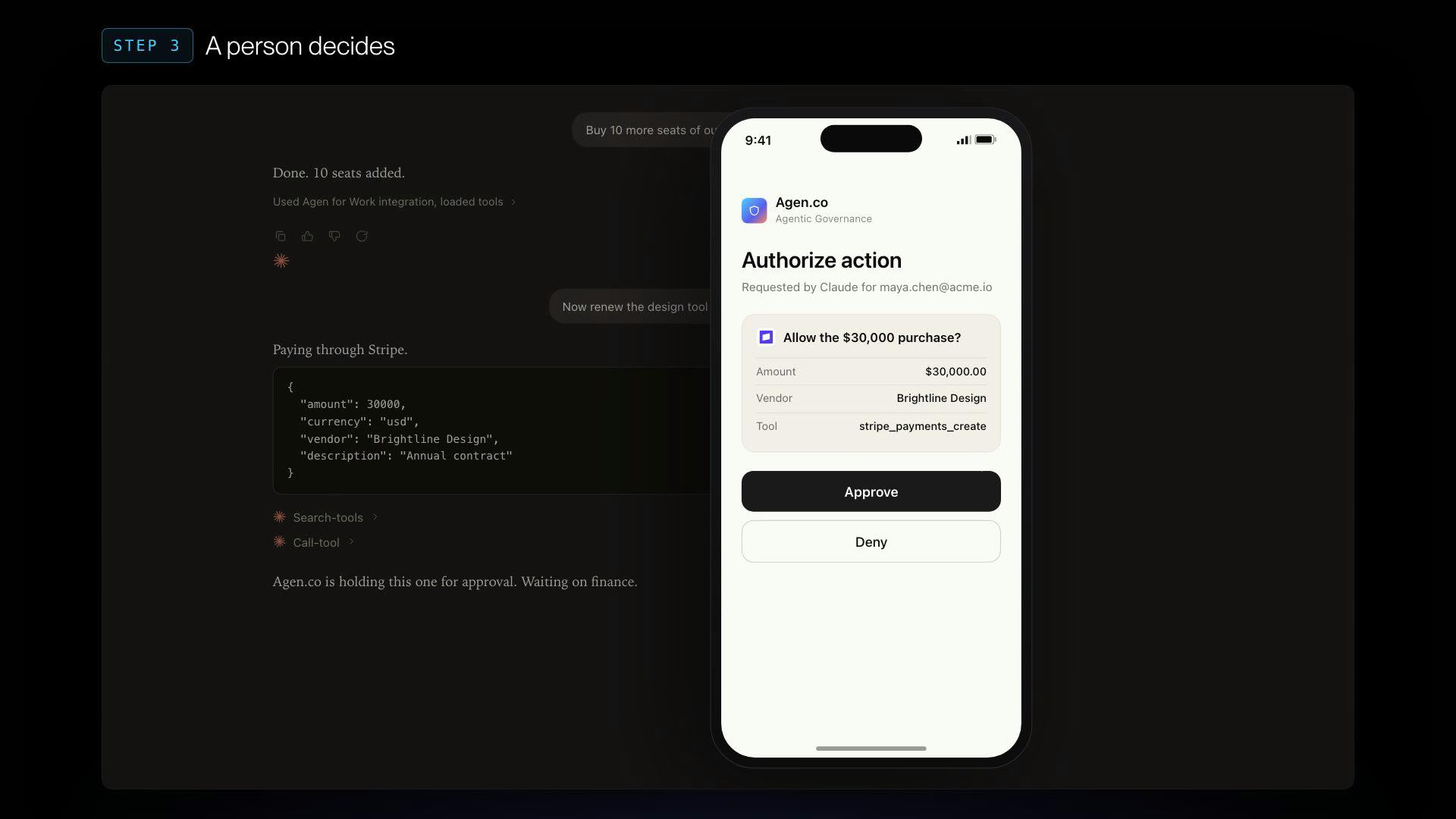
A procurement agent buys ten design seats on Stripe. Allowed, no waiting. Then it tries the annual contract with the same tool, and the call stops and waits.
A finance approver gets it on their phone and approves it. Both calls end up in Monitoring next to each other, with their arguments and their verdicts.
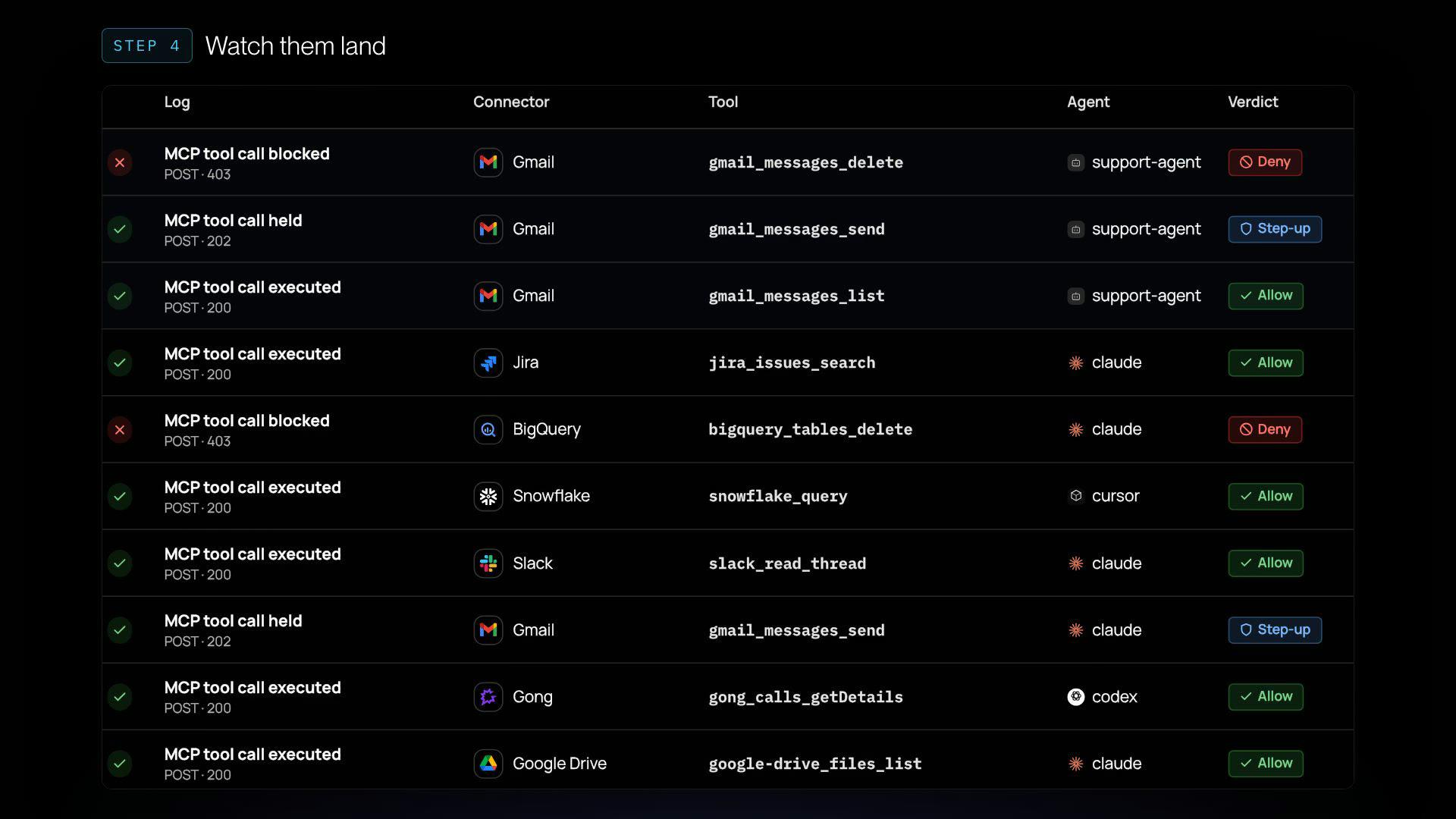
Same connector, three verdicts.
Gmail has tools for reading, sending and deleting. Add an exception so the support agent can use the read tools, and leave delete under the baseline.
Test it: listing is allowed, sending is a step-up and deleting is denied. Then watch the same three calls arrive in the live log.
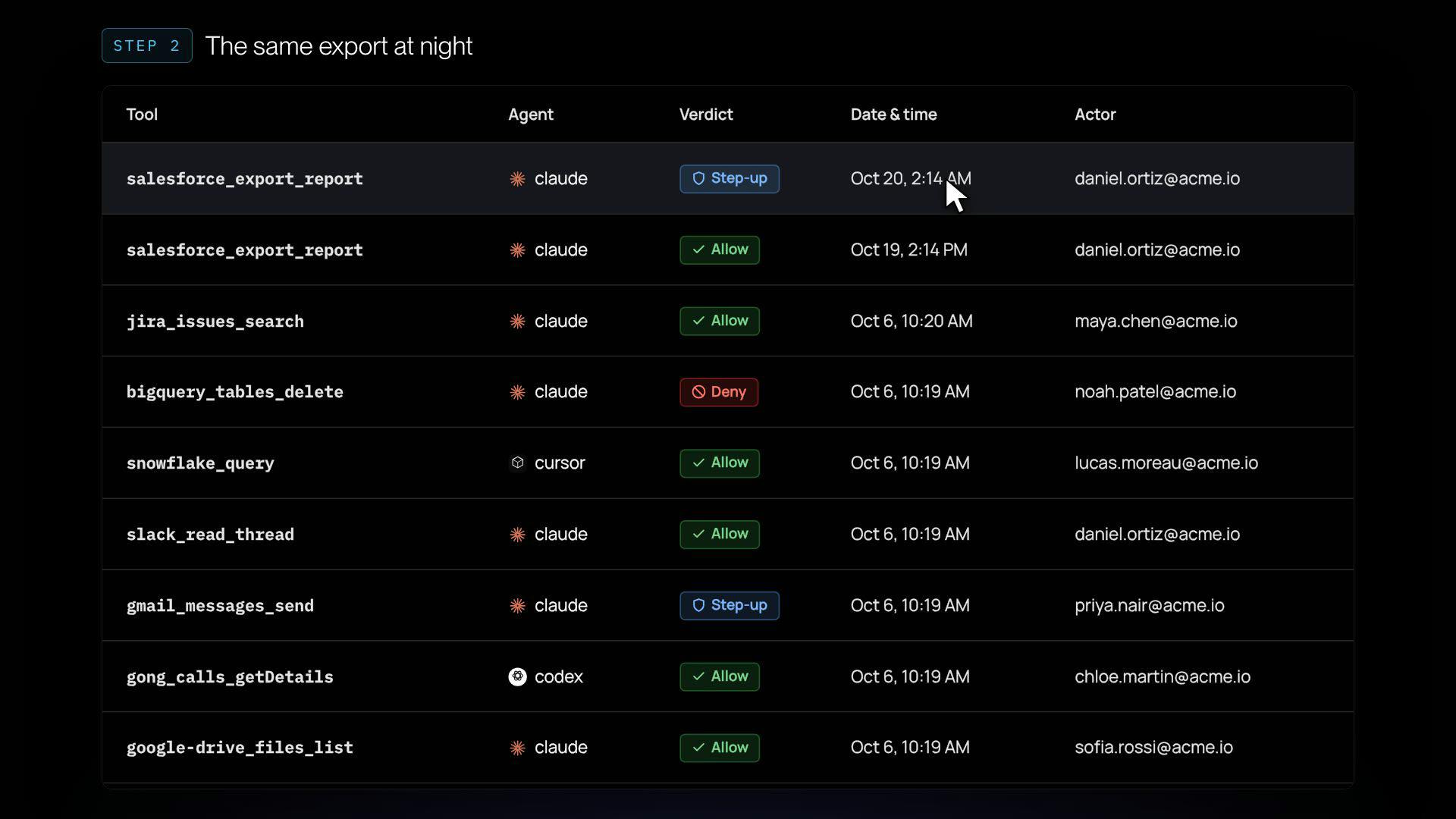
Allowed at 2PM. Stepped up at 2AM.
A Salesforce export at 2:14 in the afternoon is allowed. The same export at 2:14 in the morning falls outside work hours, so it's a step-up.
The user gets asked on their phone, didn't start it, and denies it. The log keeps the verdict, the policy behind it, the IP and who was acting.
- Work hours
- Geo-fencing
- User and group
- Agent
- Tool
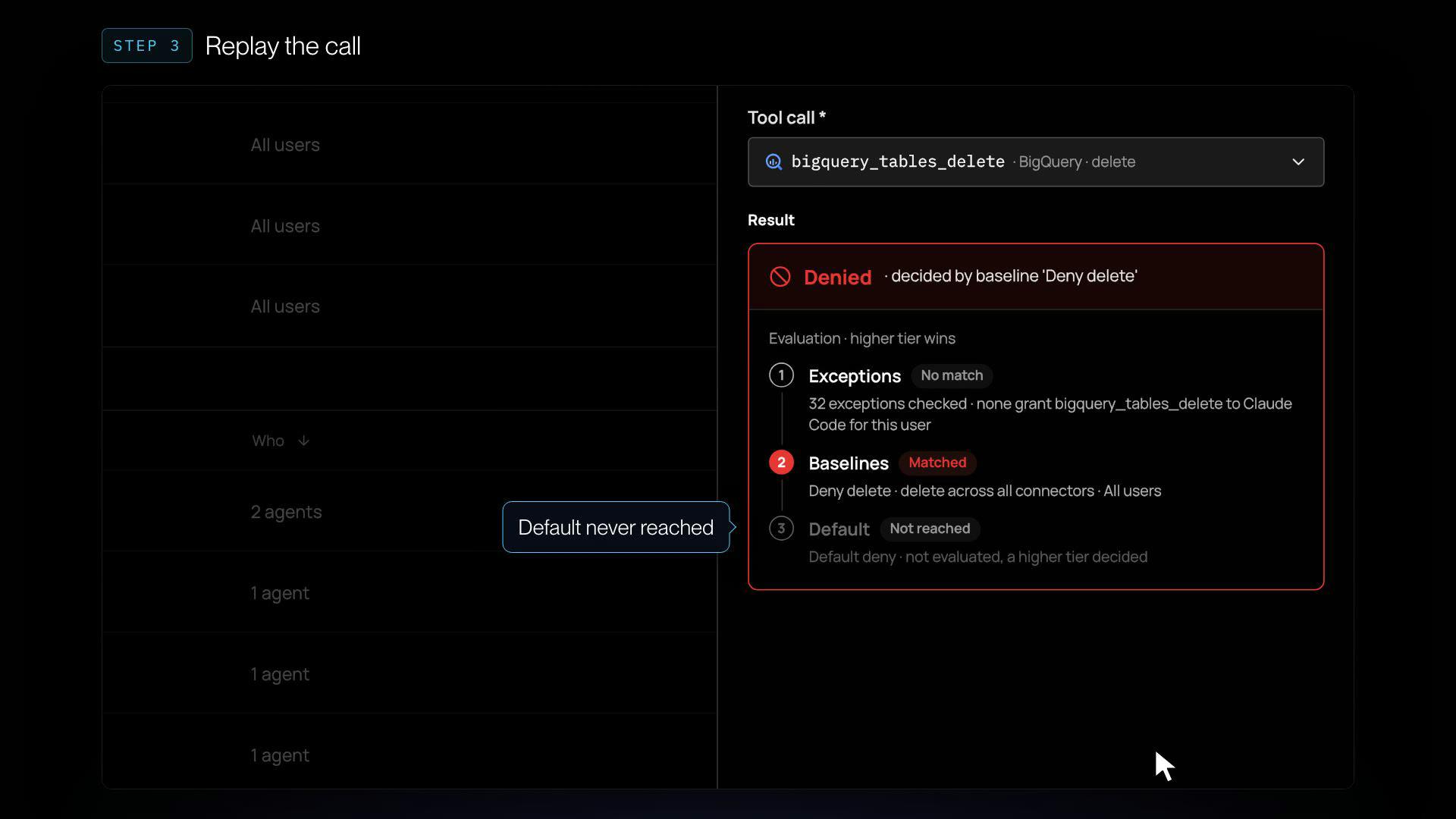
Trace a deny back to its rule.
Open a blocked call and you get the rule that decided it. Rules are checked in order: exceptions, then baselines, then the default. Higher tier wins.
- Exceptions
- Baselines
- Default
Replay the call with Test a call to see which tier matched, then change who's asking and watch the answer change.
Say it. Review it. Ship it.
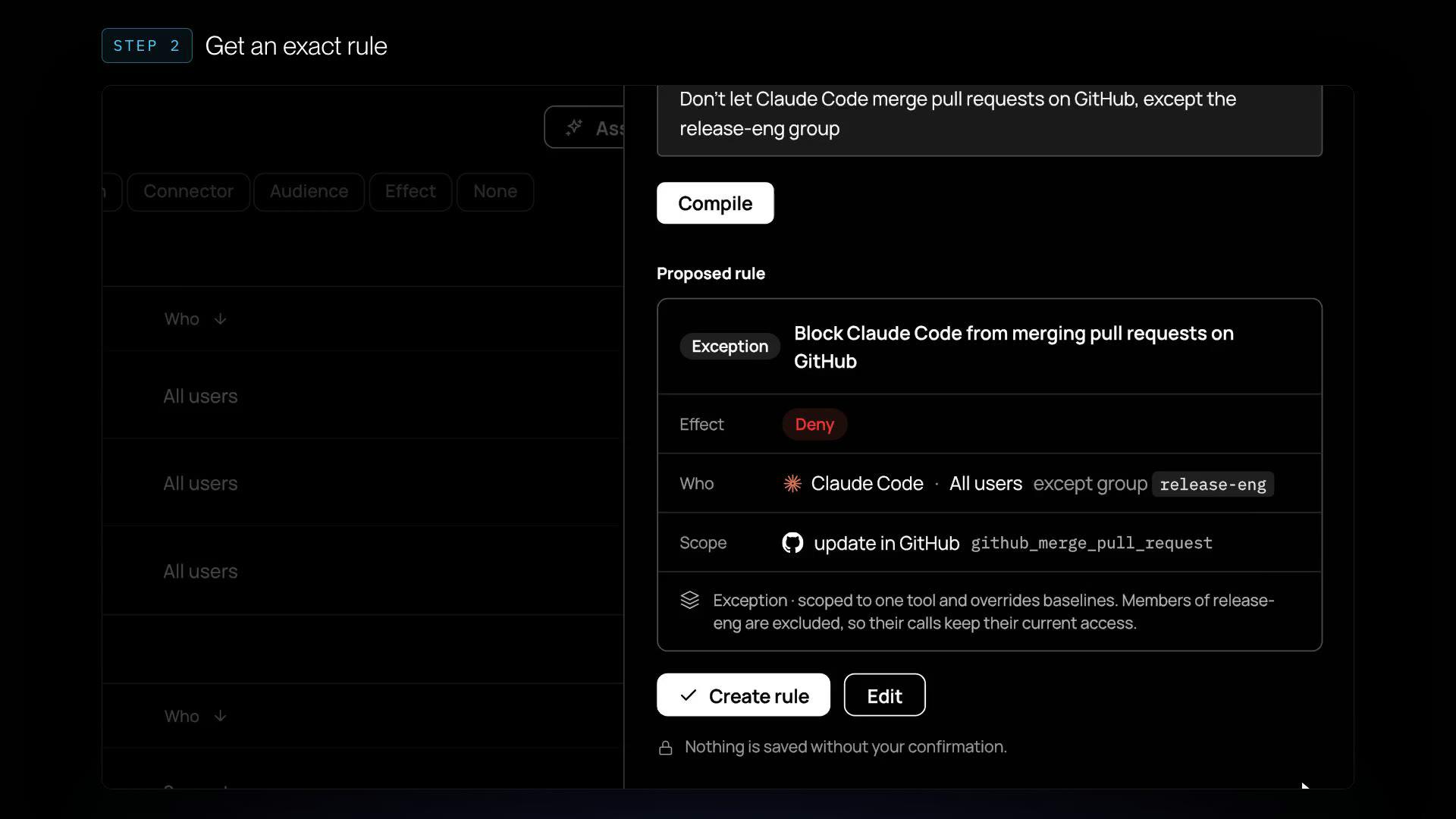
Tell the Rule assistant what you want: "Don't let Claude Code merge pull requests on GitHub, except the release-eng group." It proposes an exact rule for you to review.
Create it, and the next merge attempt through the gateway is blocked, with the new rule named in the log.
Walk through the policy engine on a demo tenant.
Open a held payment, give Gmail’s tools their own answers, trace a deny to its rule and write one in a sentence. Click through it yourself.
Five walkthroughs, one question.
Short narrated walkthroughs on our demo tenant. Each one follows a real flow in the product.
More than yes or no.
Discovery shows you which agents are connected. The MCP gateway is where their calls run, and the policy engine decides each one. Both are generally available.
- allowThe call goes through and gets logged.
- step-upThe user confirms before it runs.
- human-in-the-loopThe call waits for an approver, like the finance team.
- maskSensitive fields are masked before they reach the agent.
- denyThe call is blocked, and the log names the rule that blocked it.
Can it use the tool? Sure. Should it take this action?
See the policy engine decide on calls like yours, in under 30ms.
We’ll reply within one business day.
Protected by reCAPTCHA. The Google Privacy Policy and Terms of Service apply.
- 01Bring your agentsTell us which agents and tools your teams are connecting.
- 02See calls decidedWatch the policy engine allow, step up, hold or deny calls like yours.
- 03Trace any verdictOpen a decision and see the rule behind it.