Find the AI agents already connected to your company.
See who authorized them, what they can access, and which pose the greatest risk.
Want the map of your own org? Connect your sources in a day and review the findings with us.






















Shadow AI comes with real access.
- CalendarA meeting notetaker connected to a work calendar.
- FilesAn AI assistant granted access to company files.
- ConfigAn MCP server with a token pasted into its config.
Each connection can give AI access to company data, and permission to act on it. Security may never see a ticket.
Before you can govern that access, you need to know what’s connected, who authorized it, and what it can do.
From connected sources to a prioritized action list.
Find the access your systems already recorded.
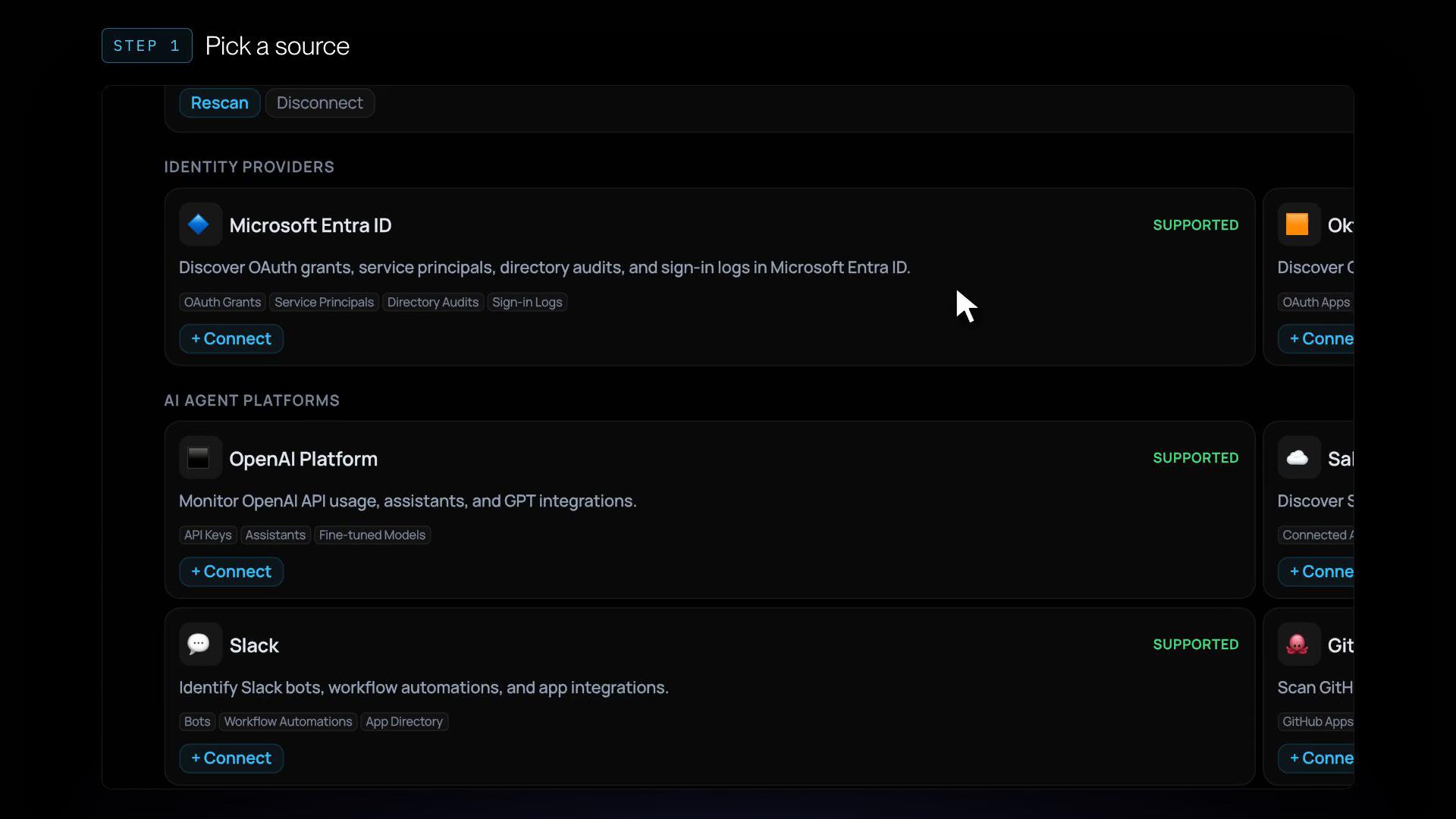
Discovery reads authorization and activity records from your identity provider and AI platforms to surface connected agents and assistants.
- Google Workspace
- Microsoft Entra ID
- Okta
- OpenAI
- Salesforce
- Slack
- GitHub
- Amazon Bedrock
- Vertex AI
- Copilot Studio
- ServiceNow
- Microsoft Defender
Start with the evidence in your systems, without relying on employees to report what they use.
See what needs attention first.
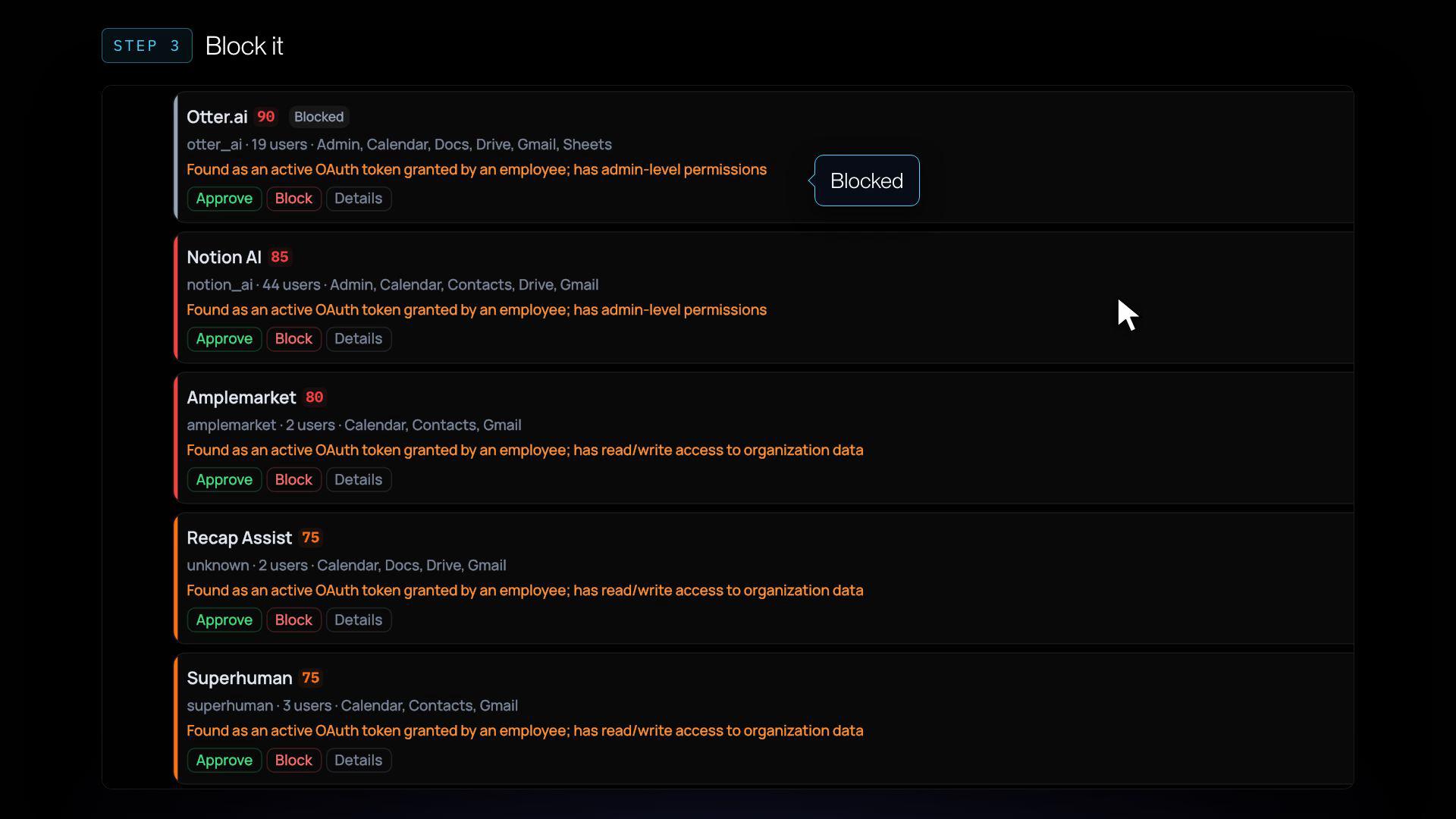
Bring discovered agents into one map, grouped by risk, with who authorized each one. The inventory lists each agent's users, access level (Admin, Read/Write or Read Only) and risk score.
Every score shows its work: five factors, each with the reason behind it.
- Scope Sensitivity
- Scope Breadth
- App Trust
- User Context
- Permission Model
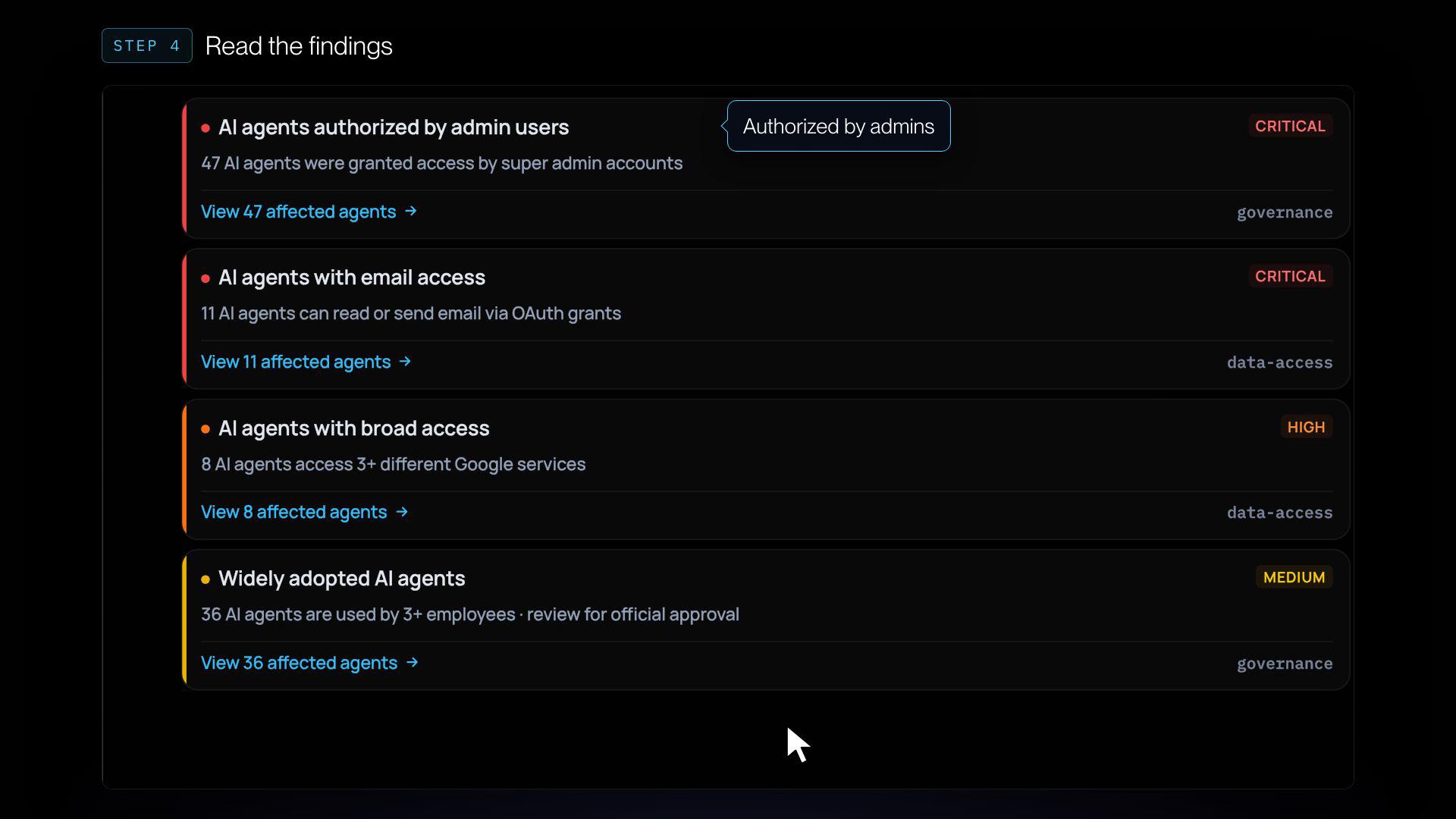
Critical Findings asks the questions that matter: Which agents can read or send email? Which shadow agents can write to your data? Which did admins authorize?
Approve or block with the context to decide.
Review why an app was flagged and what it can reach. Approve legitimate business use. Block what nobody signed off on, with the finding in front of you.
Open any agent for the detail: every OAuth scope it holds, per user, with the sensitive ones flagged, plus how it was detected and when it was first and last seen.
Find what your engineers connected, too.
AI access doesn't always start with an app authorization. It can start in a terminal or a config file.
Agen.co detects AI clients such as Claude, Cursor, Codex, and ChatGPT, showing usage by person alongside ownership and trust scores.
On Macs running AgenShield, Discovery also identifies local and remote MCP servers configured on each device. Inline credentials are flagged, with the secret redacted.
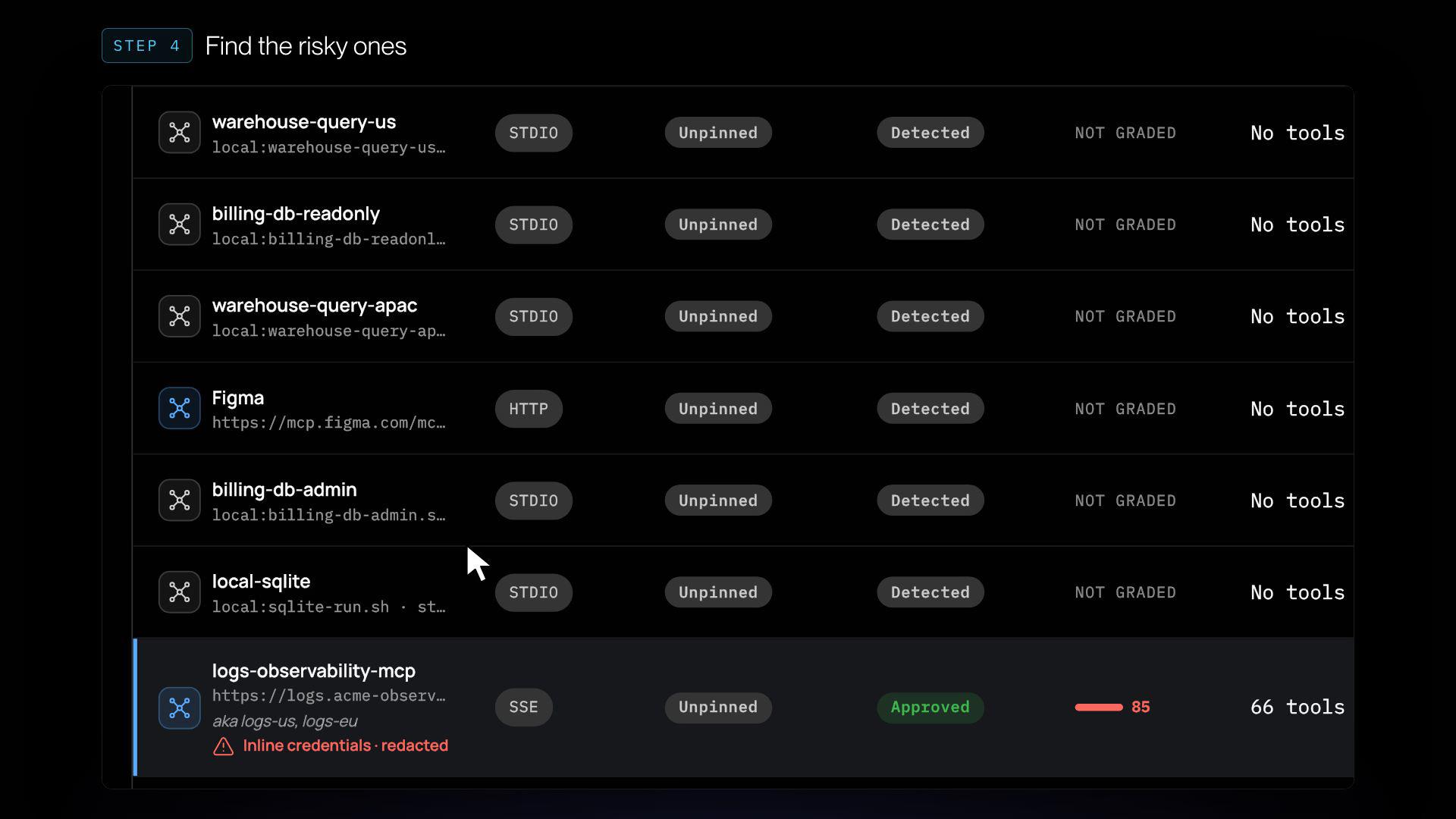
Walk through Discovery on a demo tenant.
Connect a source, light up the agent map, clean up shadow AI, open one agent up close and find the MCP servers on your engineers’ Macs. Click through it yourself.
Find shadow AI. Know what to do next.
See how Discovery uncovers connected agents, reveals risky access, and helps you take action.
Know what’s connected. Control what happens next.
Discovery shows you where AI access exists. The Agen.co MCP gateway lets you apply policy to actions routed through it.
Allow approved actions, require human confirmation, mask sensitive fields, or deny requests that violate policy.
Discovery and the MCP gateway are both generally available.
- allowRun actions that meet your policies.
- step-upRequire human confirmation before an action proceeds.
- maskRedact sensitive fields as the action runs.
- denyBlock and log actions that violate policy.
Want the map of your own org?
Book a discovery run. Connect your sources in a day, review the findings with our team, and keep your map.
We’ll reply within one business day.
Protected by reCAPTCHA. The Google Privacy Policy and Terms of Service apply.
- 01Connect your sourcesConnect your identity provider and AI platforms.
- 02Build your mapSee discovered agents and assistants, who authorized them, and how they rank by risk.
- 03Review the findings togetherWalk through the results with our team. You keep your map.